Pendidikan Pancasila Kelas 11
Publisher Description
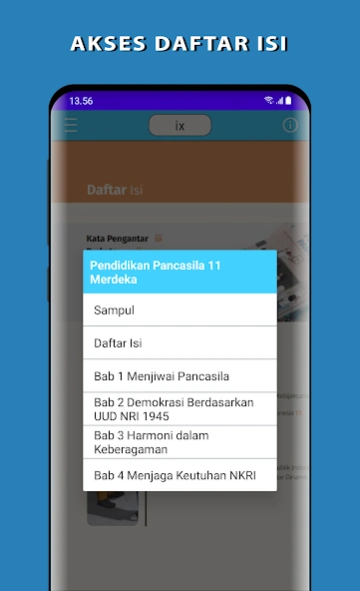
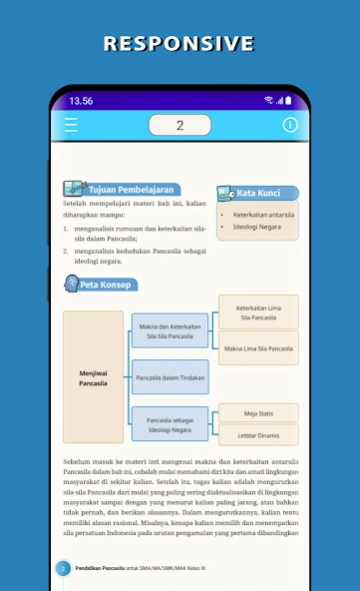


BSE Pancasila Education Class 11 Student Book Independent Curriculum
Electronic School Book (BSE) for Pancasila Education for Senior High School Grade 11, Independent Curriculum. This application was created to facilitate students' learning of Pancasila Education anywhere and anytime.
Pancasila Education is a compulsory subject for all levels of education in Indonesia. Pancasila Education lessons are mandated to foster Pancasila values in every student.
This student book is free, copyrighted by the Ministry of Education, Culture, Research, and Technology, and can be distributed to the public free of charge.
The material in the application is sourced from https://buku.kemendikdasmen.go.id.
This application is not developed by the Ministry of Education, Culture, Research, and Technology. The application helps provide learning resources but does not represent the Ministry of Education, Culture, Research, and Technology.
The features available in this application are:
1. Links between chapters and subchapters.
2. Responsive display with zoom.
3. Page Search.
4. Minimalist landscape display.
5. Zoom In and Zoom Out.
The material discussed is based on the Pancasila Education material for Grade 11 in the Independent Curriculum.
About Pendidikan Pancasila Kelas 11
The company that develops Pendidikan Pancasila Kelas 11 is Linear Studio Apps. The latest version released by its developer is 1.0 .
To install Pendidikan Pancasila Kelas 11 on your Android device, just click the green Continue To App button above to start the installation process. The app is listed on our website since 2026-07-01 and was downloaded 0 times. We have already checked if the download link is safe, however for your own protection we recommend that you scan the downloaded app with your antivirus. Your antivirus may detect the Pendidikan Pancasila Kelas 11 as malware as malware if the download link to com.linearstudioapps.ppknsmakelas11kurikulum2013 is broken.
How to install Pendidikan Pancasila Kelas 11 on your Android device:
- Click on the Continue To App button on our website. This will redirect you to Google Play.
- Once the Pendidikan Pancasila Kelas 11 is shown in the Google Play listing of your Android device, you can start its download and installation. Tap on the Install button located below the search bar and to the right of the app icon.
- A pop-up window with the permissions required by Pendidikan Pancasila Kelas 11 will be shown. Click on Accept to continue the process.
- Pendidikan Pancasila Kelas 11 will be downloaded onto your device, displaying a progress. Once the download completes, the installation will start and you'll get a notification after the installation is finished.
Program Details
System requirements
Download information
Pricing
Version History
version
posted on 2026-07-01
version 1.4.2
posted on 2022-08-31
Edisi Revisi Terbaru
